Homework First, Hyrule Second: An Afternoon with Gateshead's After-School Gaming Clubs
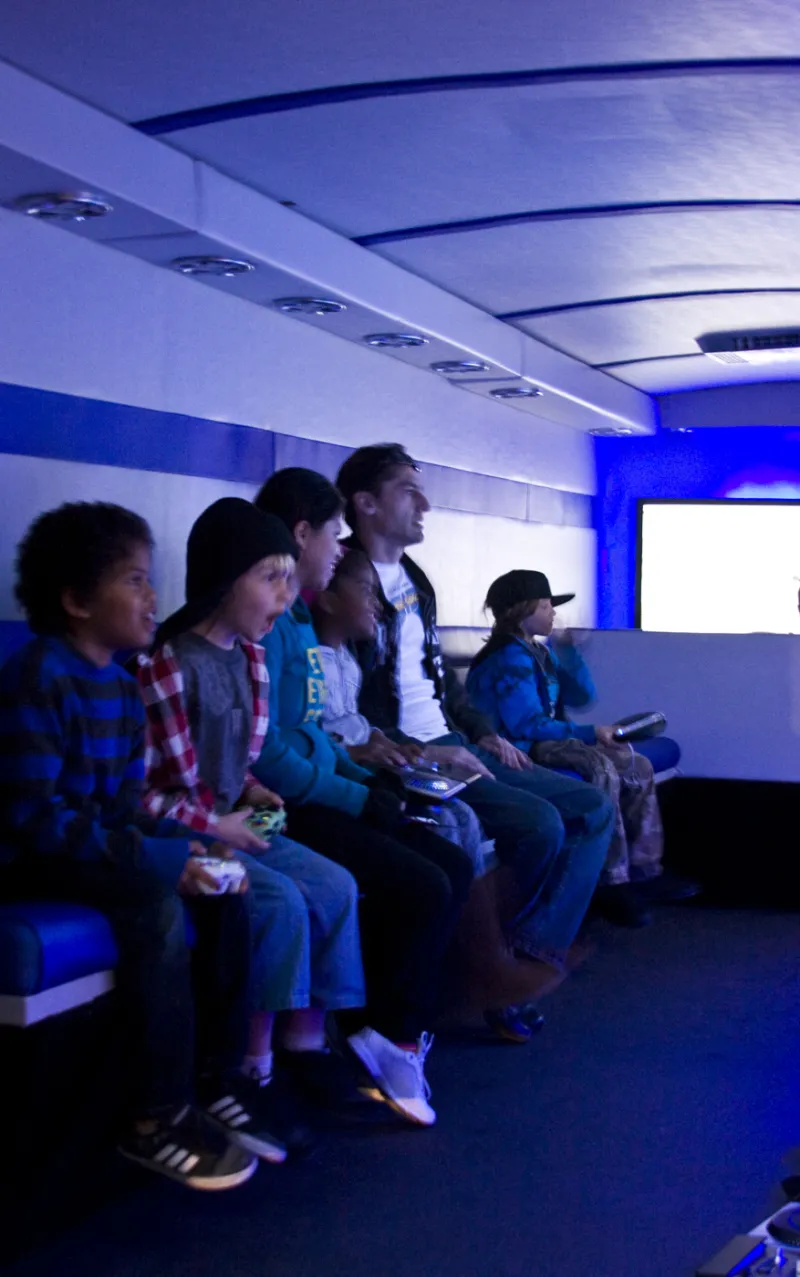
Photo: Gamesingear, CC BY-SA 3.0, via Wikimedia Commons
At 3:25pm on a Tuesday, the community centre hall smells of squash and faintly of cheese biscuits. A folding table has been dragged into the middle of the room, a tangle of HDMI cables is being untangled by a volunteer with the patience of a saint, and a Year 7 pupil is already asking — with genuine urgency — whether it is 'Mario Kart first or Rocket League first'. By 3:35pm the room is full: twenty-odd young people, four consoles, two TVs, one projector, and a queue for the good controller that has already formed and dissolved twice. This is the quiet, weekly rhythm of Gateshead's after-school gaming clubs. The session described here is a composite of several clubs across the borough — the details will feel familiar to anyone who has run one — but the pattern is real and repeating from Felling to Bensham, Low Fell to Dunston.
The First Ten Minutes
Nobody who has run an after-school club talks about the first ten minutes without smiling. Coats go on chairs, bags go under tables, someone has forgotten their permission slip, someone else has brought a friend who was not on the list, and the sign-in sheet is briefly the most contested document in the North East. The lead volunteer — usually a teacher, a youth worker, or a parent who said yes once and has been saying yes ever since — calls for quiet, gets about seventy per cent of it, and runs through the same two-minute briefing every week.
The rules are short and posted on the wall: sign in, sign out, no open chat, no swapping accounts, no griefing, and share the good controller. Then the room settles. The first ten minutes are the loudest; the next eighty are something closer to a hum. A queue forms for Mario Kart. Two pupils set up a co-op run in Minecraft. Someone is patiently explaining the controls to a newcomer who has never held an Xbox pad before, and nobody is filming it for a laugh.
A Session, Not a Free-for-All
The best clubs are not just a room with a console in it. They are structured, lightly. A typical ninety-minute session might start with twenty minutes of free play, shift into a friendly tournament or a co-op challenge, and finish with a ten-minute tidy-up that is non-negotiable. The structure does two things: it gives shy newcomers a way in, and it stops the session from becoming a hierarchy of who got to the TV first.
Inclusion is not a buzzword here; it is logistics. That means a quiet corner with handhelds for pupils who need a break from the noise. It means headphones available for anyone who finds the hall overwhelming. It means a spectator sofa for the young person who wants to watch for three weeks before they want to play. It means adjustable controllers, subtitles switched on by default, and a volunteer who notices when someone has been waiting too long. It also means food allergies are on the consent form, because the biscuits are real and so are the risks.
Safeguarding Is the Boring Bit That Makes It Work
Ask any organiser what the hardest part of running a club is, and they will not say the kids or the kit. They will say the paperwork. And then they will tell you, firmly, that the paperwork is the reason the club can exist at all.
A proper after-school gaming club needs a designated safeguarding lead, a ratio of adults to young people that the school or venue is comfortable with, and a clear sign-in and sign-out system. Volunteers should be DBS checked. There should be a first aider, a risk assessment, insurance, and a photo policy that actually gets followed. Parental consent should cover equipment use, internet access, and whether a child can appear in a newsletter or on a community noticeboard. None of this is glamorous. All of it is what lets a hall full of controllers be a safe place to be.
Online safety is part of the same conversation. Most clubs keep it simple: offline or local multiplayer, no open voice chat, no headsets unless a session is specifically supervised, and games chosen with PEGI ratings in mind. Minecraft in a private world is one thing; an unsupervised lobby with strangers is another. The organisers are not anti-online. They are pro-boundaries. As one volunteer put it, the aim is to make the club a place where the fun is social and the social bit is looked after.
The Screen-Time Question
Parents ask about screen time, and they are right to. The honest answer is that an hour of Mario Kart with a queue of people waiting their turn is not the same as an hour of scrolling alone in a bedroom. The club is bounded, social, and shared. It involves negotiation, turn-taking, losing gracefully, and explaining a control scheme to someone who has never played before. Those are soft skills dressed up as a race track.
Many clubs mix the screens with tabletop games, a break for a drink, or a five-minute reset outside when the weather allows. The point is not to pretend screens are vegetables. The point is to make the screen a shared table rather than a closed door. When a Year 8 pupil voluntarily hands the controller to a Year 5 pupil because they have noticed they have not had a go, the session has already done more than the rulebook could.
Starting One: A Practical Checklist
If you are a parent, teacher, or community centre manager thinking about starting a club, the good news is that you do not need much. You need a room, two reliable adults, a handful of controllers, and a willingness to do the boring bits properly.
- Talk to the venue first. A school headteacher, a designated safeguarding lead, or a community centre manager will tell you what their insurance and safeguarding policies require. Do not buy kit before you have that conversation.
- Sort the paperwork. DBS checks, a safeguarding policy, a risk assessment, photo consent, and a sign-in sheet are the foundation. Your local authority or venue should be able to point you to templates.
- Keep the kit simple. A Nintendo Switch, an Xbox Series S, or a donated older console is plenty. Charity shops, local Facebook groups, and refurbished tech sellers are good sources. Ask for donations before you ask for grants.
- Choose games with care. Offline multiplayer, local co-op, and age-appropriate titles. Mario Kart, Rocket League, Minecraft, and a shelf of board games will cover most sessions.
- Have two adults minimum, always. One can be the designated first aider; both should know the safeguarding lead's name and number. Never rely on a single volunteer being available every week.
- Think about accessibility from day one. A quiet corner, headphones, adjustable controllers, and a no-pressure spectator option cost very little and change who feels welcome.
- Start small and ask for feedback. One session, one sign-up sheet, one short conversation with the young people at the end. The club will tell you what it needs next.
The Last Save Point
At 4:45pm, the hall goes back to being a hall. Controllers go in the tub, cables get coiled, and someone always asks for one more race. The lead volunteer says no, then says yes to one more race, and the deal is done. The sign-out sheet fills up, the coats come off chairs, and the last pupil leaves still talking about next week.
The club will not make the news. It does not need to. It is doing the quiet work that grassroots gaming does best in Gateshead: giving young people a place to play together, a reason to look after the room and each other, and an hour after the bell when the screen is a shared table rather than a closed door.